Enterprise password management is a challenge that impacts every role, from IT admins to end users, across all industries. As organizations face increasing security threats and compliance demands, choosing the right password reset solution is more critical than ever. In this comparison guide, we’ll explore how Bravura Pass and Microsoft Entra ID Self-Service Password Reset (SSPR, formerly part of Azure Active Directory) stack up for enterprises evaluating their options in today’s competitive landscape.
Quick Summary:
- Bravura Pass delivers advanced security, compliance, and user experience features tailored for enterprise environments.
- Microsoft SSPR also known as Entra ID SSPR, formerly Azure AD SSPR offers basic password reset functionality, primarily for Microsoft-centric organizations.
- Bravura Pass stands out with broader integration, granular policy controls, and industry-adaptable compliance support.
- Microsoft SSPR is best suited for organizations fully invested in the Microsoft ecosystem with simple reset needs.
- The right choice depends on your environment’s complexity, compliance requirements, and user experience goals.
- Next steps: Evaluate your environment, review customer outcomes, and explore a Bravura Pass demo or case study.
Why Password Management Matters for Enterprises
Password-related incidents remain a leading cause of security breaches. Legacy password reset processes—like help desk calls or manual resets—are slow, costly, and prone to human error. Modern enterprises need secure, efficient, and user-friendly password management to reduce risk, improve productivity, and meet compliance mandates. Automated self-service solutions empower users, free up IT resources, and strengthen overall security posture.
What to Look for in Enterprise Password Reset Solutions
When evaluating password reset solutions, enterprises need to consider:
- Security Features: Flexible multi-factor authentication (MFA), encryption, and audit trails.
- Compliance: Automate password governance and auditing to help your organization meet security and data protection requirements (e.g., SOX, HIPAA, GDPR).
- Accessible: Secure, self-service password reset and recovery—anytime, anywhere, and on any device, whether on-network, off-network, or mobile.
- Usability: Intuitive interfaces, accessibility, and multilingual support.
- Integration: Compatibility with diverse directories, cloud platforms, and legacy systems.
Bravura Pass Overview
Bravura Pass is purpose-built for enterprise environments, offering:
- Advanced security controls, including adaptive authentication.
- Comprehensive compliance support with detailed reporting and policy enforcement.
- Seamless integration with on-premises, cloud, and hybrid directories (Active Directory, LDAP, Azure AD, and more).
- Intuitive, secure self-service password reset and recovery experiences tailored to enterprise needs.
- Proven scalability for global organizations with complex environments.
Microsoft SSPR Overview
Microsoft Self-Service Password Reset (SSPR) is a native feature within Entra ID (formerly Azure Active Directory), designed to:
- Enable users to reset passwords without IT intervention.
- Integrate with Microsoft 365 and Entra ID environments.
- Offer basic authentication options like Entra ID MFA and security questions.
Typical Use Cases and Limitations:
- Best for organizations fully committed to Microsoft cloud services.
- Limited integration with non-Microsoft directories or hybrid environments.
- Fewer customization and compliance options compared to enterprise-focused solutions like Bravura Pass.
- Lack of an assisted reset feature for secure password reset via Help Desk or Managers.
Direct Comparison: Bravura Pass vs Microsoft SSPR
|
Category |
Bravura Pass |
Microsoft SSPR (Entra ID) |
|
Platform Coverage |
Hybrid and multi-directory: supports on-prem AD, Entra ID, LDAP, Unix/Linux, macOS, and custom legacy systems. |
Cloud-first: limited to Entra ID (Azure AD) and synced on-prem AD via Entra Connect. No non-Windows or legacy coverage. |
|
Password Reset |
Unified self-service reset across hybrid and legacy systems, and delegated workflows. |
Self-service reset only for Entra ID and optionally AD; sync may be delayed and lacks cross-platform automation. |
|
Assisted Reset (Help Desk Delegation) |
Help desks can securely perform password resets without elevated privileges, using caller verification and audit tracking. |
Microsoft SSPR offers user-initiated self-service; administrators require elevated access in Entra ID. |
|
Mass Password Reset |
Built-in mass reset engine for scheduled or emergency resets with secure credential delivery via Bravura Safe. |
No equivalent feature — resets are user-initiated only. |
|
Security & Compliance |
Enforces NIST-compliant policies, integrates real-time password strength feedback and breach checks. Includes compliance dashboards. |
Basic complexity and banned-password enforcement. No dark-web or live strength feedback. |
|
User Experience |
Modern, fully customizable UX with branding, policy guidance, multilingual support, and accessibility. |
Standard Microsoft UX, limited customization and branding options. |
|
Credential Delivery |
Integrated with Bravura Safe for secure password or token delivery channels. |
Limited to standard verification methods (email, SMS, Microsoft Authenticator). |
|
Reporting & Analytics |
Centralized dashboard with real-time password analytics, compliance visibility, and rapid breach-response insight. |
Basic audit logs through Entra portal; limited cross-system visibility. |
|
Integration & APIs |
REST APIs for automation, orchestration, and custom workflows across identity ecosystem. |
API support limited to Entra ID Graph/Microsoft Graph; scoped to cloud identity only. |
|
Deployment Flexibility |
On-prem, cloud, or hybrid deployment to meet security and regulatory needs. |
Cloud-only (Entra ID) with dependency on Microsoft 365 tenant. |
|
Licensing & Cost |
Included in Bravura Security suite; flexible modular licensing across Privilege, Identity, and Safe. |
Requires Entra ID Premium (P1/P2) license per user. |
Highlighting the Future of Password Management with Next Gen Features
The next generation of Bravura Pass (learn about our latest release) reimagines enterprise password management with a password-free user experience, instant breach recovery, and intelligent automation that eliminates traditional reset pain points. Built on decades of innovation, this evolution of Bravura Pass delivers unprecedented security, usability, and control.
Password-Free User Experience Next Gen Bravura Pass removes the cognitive burden of managing passwords by securely vaulting credentials and automating updates. Features like autofill and automatic rotation simplify user access while maintaining enterprise-grade security.
Instant Breach Recovery In the event of a credential compromise, organizations can initiate a one-click, organization-wide password refresh, ensuring rapid containment and business continuity. This capability minimizes downtime and accelerates recovery from security incidents.
Centralized Governance and Compliance Bravura Pass introduces centralized policy control and automated password orchestration, reducing human error—the primary source of password-related breaches. The system enforces consistent, auditable security practices across all users and environments, supporting regulatory compliance and readiness for security audits.
Seamless Deployment and Extensibility With bootstrapped SaaS orchestration and integration across AD, LDAP, and Entra ID, organizations can deploy Next Gen Bravura Pass in weeks, not months. Support for SAML and Email OTP MFA, as well as push verification through Okta, Duo, or Microsoft Authenticator, ensures flexible security alignment with existing infrastructures.
Bravura Pass isn’t just advancing password management—it’s transforming it into an adaptive, intelligence-driven platform that ensures both seamless user experience and uncompromising enterprise protection. These capabilities make Bravura Pass especially suited for regulated industries with complex compliance demands.
Bravura Pass differentiates itself with deep integration and compliance enforcement capabilities, making it ideal for regulated industries and complex IT environments.
Customer Success and Proof Points
Organizations across financial services, healthcare, higher education, and energy sectors have achieved measurable results with Bravura Pass:
- 25% reduction in password reset tickets (Global Bank)
- Self-service transactions grew from 0 to over 33,000 resets/unlocks per month (25% via web, 75% via phone). (Global Bank)
- Time to reset a password dropped from ~10–20 minutes to ~1 minute. (Sybase)
For a deeper dive, schedule a demo or reach out to your Bravura contact for tailored support.
What To Do Next
Ready to see how Bravura Pass can transform your enterprise password management?
- Explore the Bravura Pass product page for detailed features and demos.
- Read our in-depth white paper on modern password management strategies.
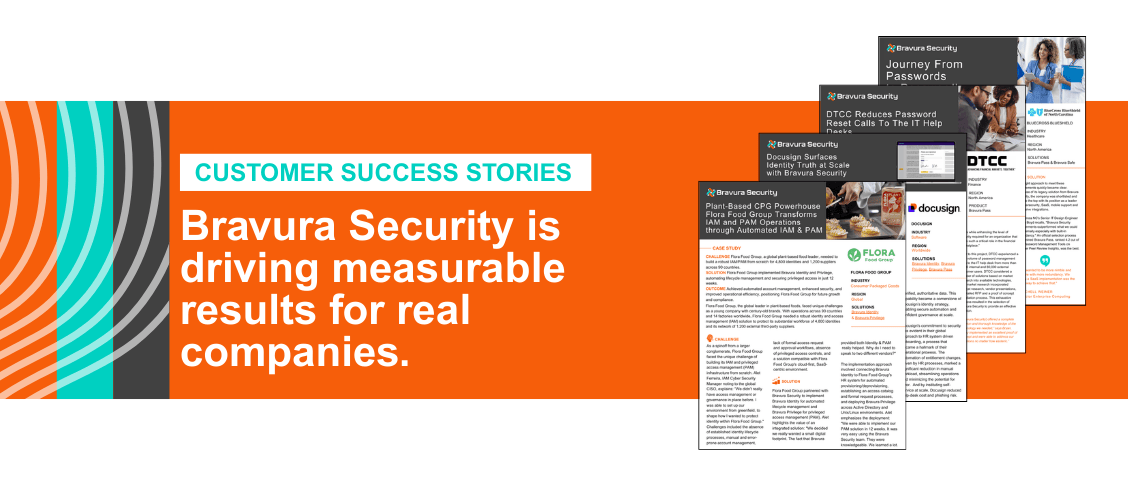
- Review customer case studies to see real-world outcomes.
- Request a personalized demo to evaluate fit for your environment.
FAQs:
Q: How does Bravura Pass improve enterprise password management compared to Microsoft SSPR?
A: Bravura Pass offers enhanced security, compliance, and user experience tailored for enterprise environments, making it a robust alternative to Microsoft SSPR.
Q: Which industries benefit most from Bravura Pass over Microsoft SSPR?
A: Bravura Pass is designed to meet the needs of all industries, providing scalable and secure password reset solutions suitable for diverse enterprise environments.