Quick Summary:
- Upgrading to the latest Bravura Pass version delivers advanced security and operational benefits.
- Key indicators—like unsupported features or lagging performance—signal it’s time to upgrade.
- A self-assessment checklist helps IT teams evaluate their current password management setup.
- Outdated password managers expose organizations to security and compliance risks.
- Upgrades streamline workflows, improve user experience, and reduce vulnerabilities.
- Follow clear next steps to prepare for a seamless, low-risk upgrade.
Why Upgrade Your Enterprise Password Manager?
Legacy password management systems often struggle to keep pace with today’s security demands. IT Directors and Sysadmins in every industry know the pain: manual resets, inconsistent policy enforcement, and integration headaches. The latest Bravura Pass features—like adaptive authentication, automated policy updates, and seamless cloud integrations—directly address these challenges.
Cybersecurity solutions built for prior environments can struggle to keep pace with the sophistication of modern credential theft, phishing, and compliance risks: next-generation threats demand next-generation protection. For example, in the 2025 Verizon Data Breach Investigations Report, credential abuse remains a dominant vector, representing 22% of breaches. Upgrading to the latest Bravura Pass version means your organization benefits from the newest security protocols, streamlined user experiences, and ongoing support—helping you stay ahead of threats and regulatory changes.
How to Use the Upgrade Readiness Checklist
The Upgrade Readiness Checklist is designed for IT Directors and Sysadmins to quickly evaluate their current Bravura Pass deployment. Here’s how to use it:
-
Verify Your Current Version
- Go to your Bravura Pass and check the version number in the footer on the left.
- Compare it to the latest release number (12.9, released on December 5, 2025; Release Notes).
-
Review Feature Utilization
- List which features your team uses (e.g., self-service password reset, adaptive authentication).
- Identify any new features in recent releases that could benefit your organization.
-
Assess Integration Status
- Confirm integrations with HR systems, directories, and cloud apps are current.
- Note any manual workarounds or unsupported connections.
-
Evaluate Security and Compliance
- Check if your current version supports the latest security standards (e.g., MFA, SSO).
- Review audit logs and compliance reports for gaps.
-
Identify Support and Performance Issues
- Document any recurring issues, slowdowns, or support limitations.
- Note if your version is approaching end-of-support.
Tips:
- Involve key stakeholders from security, compliance, and operations.
- Use this checklist as a living document—update it with each new release.
- Reach out to Bravura Security for clarification on features or support timelines.
Signs You Need to Upgrade Now
Certain red flags indicate it’s time to prioritize your upgrade:
- Performance Lags: Users report slow logins or frequent lockouts.
- Security Vulnerabilities: Your version lacks support for the latest authentication methods or encryption standards.
- Compliance Gaps: Audit findings highlight missing controls or unsupported reporting.
- End-of-Support: Your current version is no longer receiving security patches or technical support.
- Integration Breakdowns: Manual workarounds are required for critical systems.
Key Features to Look for in an Enterprise Password Management Solution
Security Capabilities
- End-to-end encryption for stored and transmitted credentials.
- Automated password rotation and complexity enforcement.
- Real-time threat detection and response.
Usability and Integration
- Seamless integration with existing identity and access management (IAM) systems.
- Single sign-on (SSO) and multi-factor authentication (MFA) support.
- Intuitive user interfaces for both end-users and administrators.
Compliance and Audit Readiness
- Comprehensive audit trails and reporting.
- Policy enforcement aligned with industry regulations.
- Support for compliance frameworks (e.g., SOX, HIPAA, GDPR).
How Bravura Pass Meets Enterprise Needs
Bravura Pass delivers a comprehensive suite of features designed for the unique demands of enterprise environments. Its advanced security architecture ensures credentials are protected at every stage, while automated workflows reduce manual intervention and human error. Bravura Pass integrates seamlessly with leading IAM platforms, enabling organizations to unify access controls and streamline user experiences.
Compared to legacy solutions, Bravura Pass offers:
- Automated, policy-driven password management that eliminates manual resets.
- Centralized visibility and control for IT teams.
- Scalable architecture to support thousands of users across multiple locations.
Decision-Maker’s Checklist for Evaluating Bravura Pass
Use this checklist to assess whether a password management system is the right fit for your enterprise:
- Does the solution provide end-to-end encryption for all credentials?
- Can it automate password rotation and enforce complexity policies?
- Is there seamless integration with your existing IAM and directory services?
- Does it support SSO and MFA for enhanced security?
- Are comprehensive audit logs and compliance reports available?
- Is the user experience intuitive for both end-users and administrators?
- Can the solution scale to meet your organization’s growth?
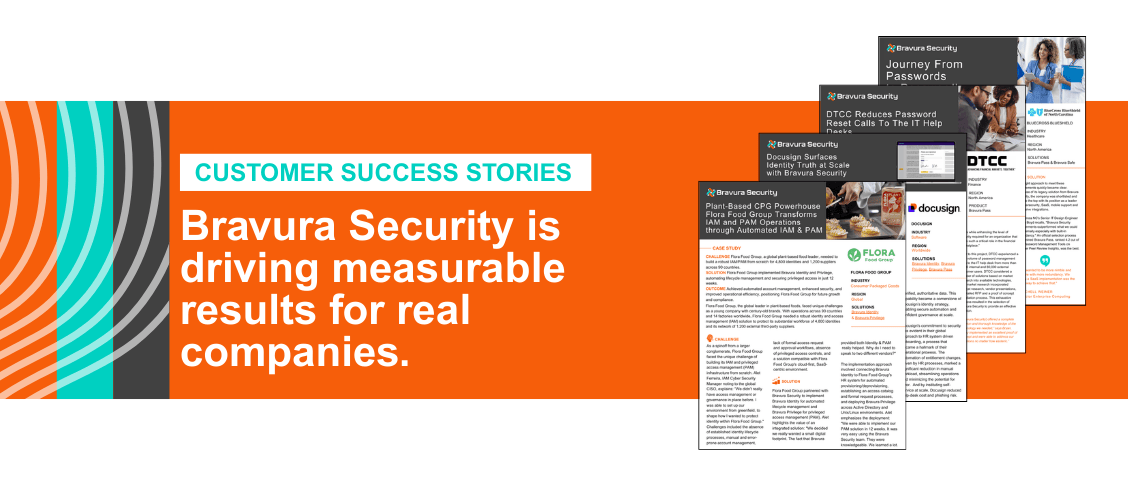
- Are there proven customer outcomes in your industry?
Industry trends—like the rise of hybrid work and stricter data privacy laws—make timely upgrades even more urgent.
What To Do After The Checklist:
Once you’ve completed the checklist, take these next steps:
- Visit the Bravura Pass product page to review the latest features and release notes.
- Schedule a consultation or demo with Bravura Security to discuss your unique environment and get personalized recommendations.
FAQs:
Q: How can IT Directors and Sysadmins determine if their Bravura Pass version is outdated?
A: Use the upgrade readiness checklist to assess your current enterprise password management setup and identify if you are on the latest Bravura Pass version.
Q: Why is upgrading Bravura Pass important for all industries?
A: Upgrading ensures enhanced security, compliance, and operational efficiency critical across all industries managing enterprise password solutions.